By Rhys Thompson September 14, 2026
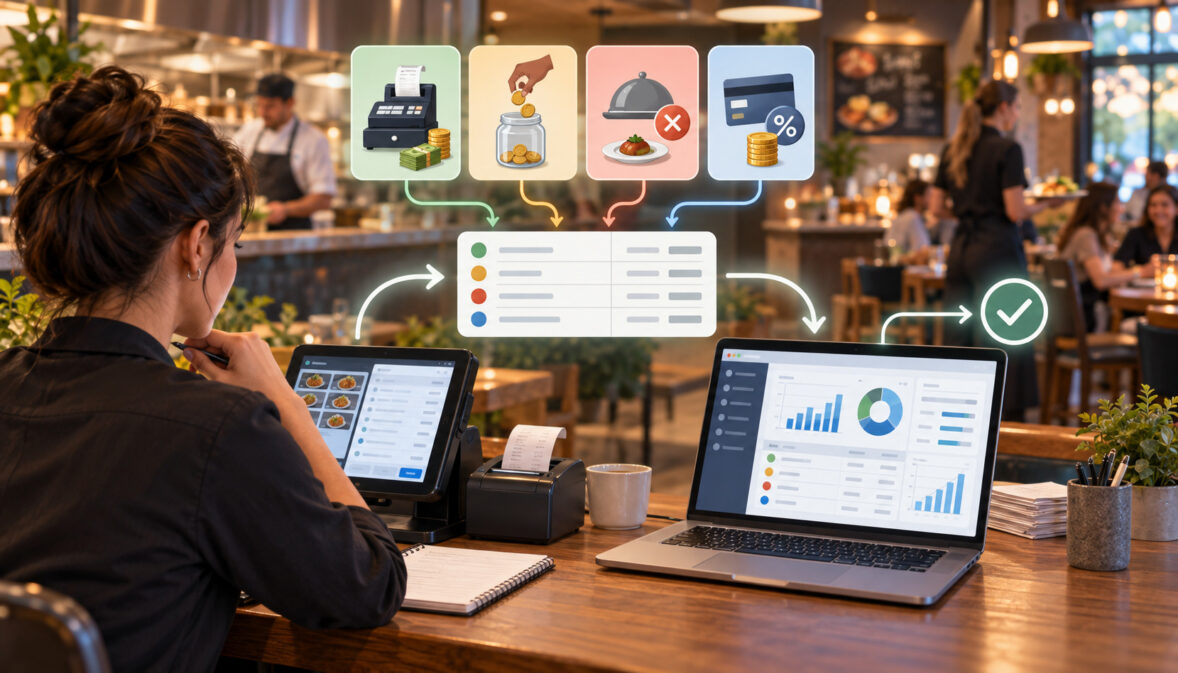
A reliable restaurant POS QuickBooks daily sales sync should start with the restaurant’s POS close, not with the amount that appeared in the bank.
A $20,000 day of transactional activity can produce a substantially different bank deposit because the POS total may include sales tax, employee tips, cash tenders, discounts, refunds, gift card activity, processing fees, and card transactions that have not yet settled.
The accounting job is therefore to separate those components before attempting to match the bank. Revenue belongs in revenue accounts. Sales tax generally belongs in a liability account.
Voluntary customer tips collected for employees should not inflate operating revenue. Card payments generally need to pass through a processor or card-clearing account until the settlement reaches the bank.
That distinction solves one of the most common restaurant-bookkeeping problems: trying to force a net merchant deposit to equal the day’s sales.
A good daily process looks like this:
POS closes business day → sales, taxes, tips, discounts, comps and tenders are summarized → accounting entry posts → card activity sits in clearing → processor settlements and fees clear that balance → bank deposits are matched → month-end reconciliation explains anything still outstanding.
This article focuses on that restaurant-specific accounting map. Account names and presentation can vary by accounting policy, QuickBooks configuration, tax jurisdiction, processor, POS, and whether the restaurant keeps its books on a cash or accrual basis.
Restaurants should establish their final chart of accounts and financial-statement presentation with the accounting professional responsible for their books.
Restaurant POS QuickBooks Daily Sales Sync: The Accounting Map

The purpose of a restaurant POS QuickBooks daily sales sync is not to rebuild every burger, cocktail, modifier, guest check, and payment transaction inside QuickBooks. The POS should remain the detailed operational system of record.
QuickBooks needs a summarized accounting representation of what happened during the business day.
That summary normally needs enough detail to answer four questions:
- What did the restaurant earn?
- What does the restaurant owe to employees, taxing authorities, or customers?
- What money has been collected but has not yet reached the bank?
- What costs or adjustments explain the difference between gross transaction activity and cash deposited?
That usually means mapping POS totals into revenue, liability, clearing, contra-revenue or discount, and expense accounts.
A restaurant GL mapping might separate food revenue, alcoholic beverage revenue, catering revenue, sales tax payable, tips payable, card clearing, gift card liabilities, discounts, comps, merchant fees, and cash over/short. A more complex multi-unit group might add processor-specific or location-specific clearing accounts.
The right amount of detail is the amount that supports financial control without making the general ledger unusable.
A summarized daily POS journal must remain balanced, with total debits equal to total credits. The current QuickBooks Online journal-entry process provides the accounting mechanism for posting that type of balanced entry, while the restaurant’s mapping determines which sales, liability, and clearing accounts receive each POS total.
A well-designed restaurant POS QuickBooks daily sales sync therefore translates operational POS language into accounting language rather than blindly copying transactions.
A Practical POS-to-GL Mapping
| POS Category | Illustrative QuickBooks Destination | Account Type / Role |
| Food sales | Food Revenue | Income |
| Beer, wine, liquor | Beverage Revenue | Income |
| Catering | Catering Revenue | Income |
| Sales tax | Sales Tax Payable | Liability |
| Voluntary employee tips | Tips Payable | Liability |
| Cash tender | Cash / Undeposited Funds | Asset |
| Card tender | Card Clearing | Current asset / clearing |
| Gift card sale | Gift Card Liability | Liability |
| House account | Accounts Receivable | Asset |
| Delivery marketplace tender | Platform Clearing | Asset / clearing |
| Discounts | Discounts / Contra Revenue | Income/contra account, depending on policy |
| Comps | Comp / Promotion account | Depends on policy |
| Processing fees | Merchant Processing Fees | Expense |
These names are illustrative. They are not universal QuickBooks account names or mandatory accounting classifications.
A restaurant should create enough revenue categories to understand its business. Food, alcohol, nonalcoholic beverages, catering, merchandise, service charges, and delivery-related revenue may justify separate accounts when management, tax reporting, or financial analysis requires them.
Creating 75 revenue accounts for 75 menu categories usually does not improve restaurant accounting.
The POS already knows whether a customer bought wings or salmon. QuickBooks normally needs the financial category, not the menu-item history.
Daily Sales Journal Entry for a Restaurant
The daily sales journal entry restaurant operators need is fundamentally a balancing exercise between what was sold and how customers paid.
One side of the entry captures economic activity such as revenue, tax, and tips. The other captures the tender or receivable generated by those transactions.
Consider a hypothetical restaurant business day with the following POS close:
- Food sales before discounts: $13,000
- Beverage sales before discounts: $5,000
- Discounts/comps tracked separately: $500
- Sales tax collected: $1,400
- Voluntary customer tips: $2,000
- Cash tender: $3,900
- Card tender: $17,000
For illustration, suppose the restaurant’s accounting policy presents the $500 of discounts/comps separately rather than netting them directly into the revenue account.
The accounting total to be funded or collected is:
$13,000 food
- $5,000 beverage
- $1,400 tax
- $2,000 tips
− $500 discounts/comps
= $20,900
If $3,900 was collected in cash, the remaining $17,000 was collected on cards.
That produces the conceptual journal below.
A Worked Debit-and-Credit Example
| Account | Debit | Credit | Why |
| Cash / Undeposited Funds | $3,900 | — | Cash tender received |
| Credit Card Clearing | $17,000 | — | Card amount due from processor |
| Discounts / Comps | $500 | — | Separate reduction/presentation under assumed policy |
| Food Revenue | — | $13,000 | Food sales |
| Beverage Revenue | — | $5,000 | Beverage sales |
| Sales Tax Payable | — | $1,400 | Tax collected |
| Tips Payable | — | $2,000 | Amount owed to employees |
| Total | $21,400 | $21,400 | Balanced journal |
This is an illustration, not a universal journal design. A restaurant that reports discounts net of revenue, treats certain comp categories differently, or uses other account structures could post a different journal while still reaching an appropriate accounting result.
What matters is that the daily sales journal entry restaurant process preserves the distinction between revenue, liabilities, tenders, and adjustments.
Why Credit Card Clearing Is So Important
The credit-card-clearing line is one of the most useful pieces of the entire restaurant accounting workflow.
When a guest pays a $75 check by card, the restaurant has completed the guest transaction, but that does not necessarily mean $75 is already sitting in its operating bank account.
The processor still has to settle the transaction.
Depending on the processor arrangement and timing, settlement activity may also include refunds, chargebacks, fees, holds, adjustments, or other movements. The settlement can occur on a different date from the POS business date.
The clearing account bridges those events.
Conceptually:
POS card tender → card clearing → processor settlement → bank
A clearing account lets the restaurant recognize today’s POS activity today without pretending today’s transaction is already bank cash.
Intuit describes clearing accounts as accounts used to move amounts between accounts when they cannot be moved directly. Restaurant payment clearing is an application of that general accounting concept, although the exact QuickBooks account type and workflow should be chosen with the restaurant’s accountant.
This is especially important at month-end.
Suppose the restaurant closes March 31 with $11,600 of card transactions but the processor funds those transactions on April 1. March 31 sales remain March activity. The unsettled amount can remain in processor clearing at the March 31 cutoff.
The April 1 bank deposit belongs in the April bank activity.
There is no reason to force that April deposit into the March bank balance simply because it relates to March sales.
Cash Sales and Card Sales Should Not Be Treated Identically
Cash often moves much closer to the restaurant’s control immediately.
If the POS expects $2,400 of physical cash, the daily journal may debit a cash-on-hand, cash-drawer, or undeposited-funds account depending on the restaurant’s deposit workflow.
Card sales normally belong in processor clearing until funded.
That separation also helps explain a common daily-close variance. If the POS says expected cash was $2,400 but the physical drawer or deposit is $2,385, the $15 difference should be investigated and may ultimately move to a cash over/short account according to policy.
It should not silently change restaurant revenue.
A clean restaurant POS QuickBooks daily sales sync therefore distinguishes payment tenders instead of dumping every payment into the same account.
Revenue Categories: Enough Detail Without GL Clutter
Restaurants often benefit from separating major economic categories, including:
- food,
- alcoholic beverages,
- nonalcoholic beverages,
- catering,
- retail merchandise,
- delivery fees,
- service charges,
- event revenue.
Whether each deserves a separate income account depends on the restaurant.
For example, alcohol revenue may be useful separately because beverage margins, regulatory reporting, and management analysis differ from food operations. Catering may deserve its own account because it represents a materially different sales channel.
Menu categories such as “burgers,” “salads,” “appetizers,” and “steaks” may be valuable in POS reporting without each needing its own QuickBooks income account.
That is why restaurant accounting should maintain a deliberate boundary between operational reporting and general-ledger reporting.
Managers trying to connect sales performance to operating metrics can also compare this structure with weekly restaurant KPI reporting.
Tips Payable QuickBooks Mapping: Why Tips Are Not Revenue

The tips payable QuickBooks mapping deserves special attention because an incorrect configuration can materially overstate restaurant sales.
When a guest voluntarily leaves a tip intended for employees, the card processor may temporarily deliver the cash to the restaurant, but that does not turn the employee’s tip into restaurant operating revenue.
The restaurant has collected money it owes to someone else.
That is why the accounting map commonly uses a tips-payable liability.
The distinction between tips and mandatory service charges should also be preserved in the accounting map. Under current IRS tip and service-charge guidance, voluntary customer tips are distinguished from compulsory service charges; the IRS states that voluntary tips are not amounts paid to the employer or included in the employer’s gross receipts, while mandatory service charges are treated differently.
Payroll and employment-tax handling involves additional rules, so the POS accounting entry should not be treated as a substitute for payroll compliance.
The Tip Flow From Guest Check to Employee
The operational sequence is:
Customer pays restaurant bill + voluntary tip
→ POS records sales, tax and tip separately
→ card processor settles payment
→ restaurant owes tip to employee
→ cash payout or payroll distribution reduces tips payable
Suppose a guest’s card transaction is:
- Food and beverage: $100
- Sales tax: $8
- Voluntary tip: $12
- Total card charge: $120
The restaurant did not generate $120 of restaurant revenue.
The conceptual components are:
- $100 revenue,
- $8 tax liability,
- $12 tips payable,
- $120 card receivable/clearing.
If the POS sync instead credits revenue for the full $120, restaurant operating revenue is overstated.
That is the central objective of proper tips payable QuickBooks mapping.
Tip Liability Example
| Event | Debit | Credit | Effect on Tip Liability |
| Guest pays $120 card charge | Card Clearing $120 | Sales $100; Tax Payable $8; Tips Payable $12 | Liability increases $12 |
| Processor funds card transaction | Bank / fee entries as applicable | Card Clearing | No change solely from funding |
| Restaurant pays $12 tip to employee | Tips Payable $12 | Cash/Bank/Payroll Clearing $12 | Liability decreases $12 |
The final payout entry depends on the restaurant’s actual method.
Some restaurants pay eligible tips in cash after a shift. Others distribute card tips through payroll or another compliant payout system.
What should remain constant is the accounting logic: when the restaurant receives the tip on the employee’s behalf, tips payable increases. When the restaurant actually distributes the amount, tips payable decreases.
Service Charges Are Not Automatically Tips
Restaurants should not map a mandatory service charge into tips payable merely because the POS labels the field “gratuity.”
A mandatory amount imposed by the restaurant is different from a voluntary tip. Federal tax treatment can differ, and the restaurant may need separate revenue and wage accounting depending on what happens to the charge.
Operationally, the safest restaurant GL mapping is to keep voluntary tips and mandatory service charges in separate POS categories.
That separation makes payroll reporting, revenue presentation, and reconciliation easier.
It also prevents a later policy change from requiring staff to reconstruct months of combined “gratuity” data.
How to Book Comps, Discounts, Voids, and Refunds
Comps, discounts, voids, and refunds may all reduce what the restaurant ultimately collects, but they do not represent the same business event.
Treating them as one generic negative-sales bucket removes useful information and can make reconciliation harder.
Discounts
A discount means a sale occurred at a reduced price.
Examples include a promotion, loyalty reward, employee discount, coupon, happy-hour adjustment, or manager-authorized price reduction.
Two broad accounting presentations can exist:
- record gross sales and show discounts separately as a contra-revenue or discount account; or
- report revenue net of qualifying discounts according to the restaurant’s accounting policy.
The correct financial-statement treatment depends on the circumstances and accounting framework. The purpose of the POS map is to preserve enough information for the selected policy.
If management wants to know whether promotions are costing $2,000 or $20,000 per month, keeping a separate discount category can be useful even when external financial reporting ultimately presents the amount differently.
Comps
A comp generally means the restaurant intentionally provided all or part of an item without collecting its normal selling price.
Common reasons include:
- guest recovery,
- manager goodwill,
- employee meals,
- promotional events,
- influencer or media meals,
- VIP treatment,
- operational error.
Those reasons can matter.
A guest-recovery comp, an employee meal, and a marketing promotion may have different management purposes even when each reduces the guest’s bill.
The restaurant should therefore avoid assuming that every comp must land in one GL account.
Many operators maintain selected comp categories so managers can distinguish operational mistakes from deliberate marketing or employee benefits.
Comps also demonstrate why accounting and inventory cannot be separated completely. A complimentary entrée produces no normal cash sale but still consumes ingredients.
Accurate restaurant sales mapping becomes more useful when paired with food-cost and theoretical-versus-actual inventory monitoring.
Voids
A true void usually removes or reverses an item before the transaction is finalized.
If a server accidentally rings two entrées and removes one before closing the guest check, there may be no final revenue transaction to record for the second entrée.
That is different from selling an entrée yesterday and refunding it today.
Restaurants should still monitor voids closely for operational and fraud-control reasons, but the accounting system does not need to manufacture revenue for a transaction that was properly reversed before final posting.
Refunds
Refunds relate to previously processed activity.
The accounting complication is timing.
Suppose yesterday’s card sale was included in yesterday’s POS journal, but the refund is processed today. Today’s processor activity may be lower even though today’s restaurant sales are normal.
If the refund is deducted from today’s settlement, that does not mean today’s revenue fell for the same operational reason.
A processor-clearing account lets the restaurant record the refund appropriately and separately from today’s deposits.
Discounts, Comps, Voids and Refunds Compared
| Activity | Accounting Effect | Management Purpose |
| Discount | Reduces selling price; may be tracked separately or netted according to policy | Measure promotions and price concessions |
| Comp | Restaurant intentionally provides value without normal collection | Track guest recovery, promotion, employee meal or other purpose |
| Void | Removes/reverses activity, commonly before finalization | Monitor entry errors and control risk |
| Refund | Reverses or returns previously processed amount | Track customer refunds and processor timing |
A sound daily sales journal entry restaurant workflow preserves these distinctions instead of treating every negative POS number as the same event.
Mapping the Sales Tax Liability Account From the POS
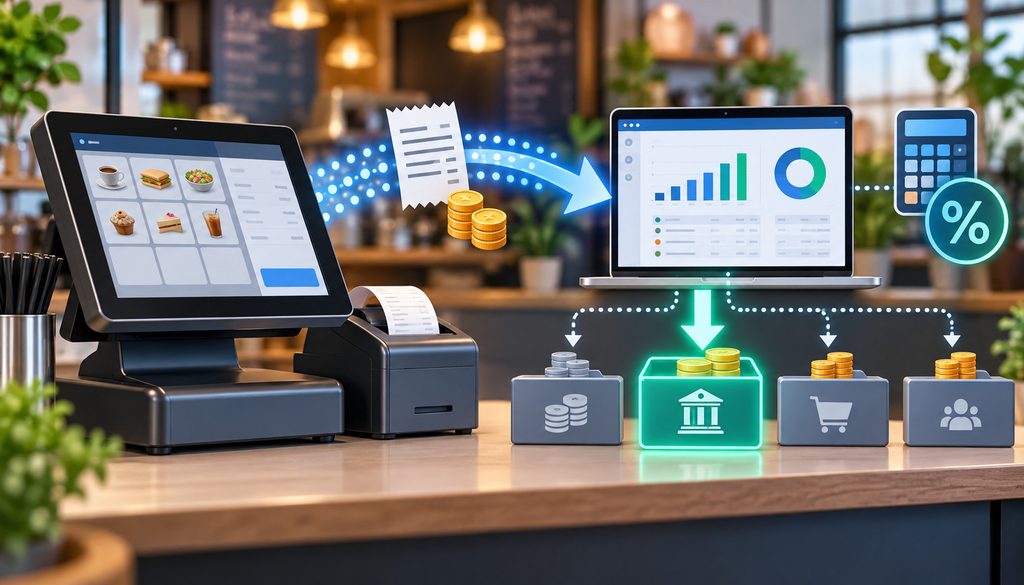
The sales tax liability account POS mapping should prevent collected tax from inflating restaurant sales.
When a restaurant collects sales tax from a customer, that amount generally represents an obligation to the relevant taxing authority rather than operating revenue retained by the restaurant.
A simplified transaction therefore looks like:
taxable restaurant sale → revenue
sales tax charged → sales-tax liability
customer payment → cash or clearing
The POS should report the tax separately from the taxable sale.
That allows the accounting sync to credit the appropriate liability account instead of revenue.
Sales Tax Mapping Table
| POS Tax Bucket | Illustrative QuickBooks Account | Purpose |
| State sales tax | Sales Tax Payable – State | Liability |
| Local sales tax | Sales Tax Payable – Local | Liability |
| Special district tax | Separate liability if useful | Liability |
| Other jurisdictional tax | Appropriate jurisdiction liability | Liability |
The exact setup depends on the restaurant’s jurisdiction, filing obligations, POS configuration, and QuickBooks tax workflow.
QuickBooks Online has its own automated sales-tax features and tax-liability reporting. A restaurant importing POS tax totals needs to make sure its accounting workflow does not accidentally calculate or duplicate tax in QuickBooks when tax has already been calculated by the POS.
Intuit’s current documentation notes that QuickBooks can calculate tax using factors such as customer tax status, business location, shipping location, and product tax category.
The sales tax liability account POS mapping should therefore be designed together with whoever manages the restaurant’s sales-tax filings.
Multi-Jurisdiction Restaurants
Multi-location operators may need more granular liability tracking.
One location may operate in a jurisdiction with different state, county, city, district, prepared-food, alcohol, or other applicable tax treatment than another.
This article does not assume particular tax rates.
The important accounting control is that POS tax buckets should be identifiable enough to support the restaurant’s actual filing process.
Combining every tax collected across every location into one vague “Sales Tax” amount may save a few GL lines while creating substantial month-end work.
Tax-Exempt Sales
Tax-exempt transactions should also remain identifiable.
The accounting system does not need every exemption certificate attached to the daily journal, but the restaurant should retain required exemption documentation in its tax and operational records.
The daily sync should preserve the distinction between:
- taxable sales,
- tax charged,
- tax-exempt sales,
- and tax adjustments.
Why Restaurant Card Deposits Are Net of Fees
One of the most important rules in a restaurant POS QuickBooks daily sales sync is:
Bank deposit ≠ gross restaurant sales.
The bank sees settlement cash.
The POS sees business activity.
Those figures answer different questions.
A card settlement can differ from POS card activity because of:
- processing fees,
- refunds,
- chargebacks,
- settlement timing,
- processor adjustments,
- reserves or holds,
- previous-day activity,
- split settlements,
- other payment-program adjustments.
POS reporting itself illustrates why the bank deposit should not be substituted for sales. For example, Square’s current sales-summary and reconciliation reporting separately reports measures such as sales, taxes, tips, discounts and comps, processing fees, payments, and reconciliation information used to explain the amount transferred to the bank.
Other POS and processor integrations may structure their exports differently. Never assume that another product uses Square’s fields or settlement model.
Why a Clearing Account Solves the Problem
Suppose a hypothetical POS reports:
- Card activity due from processor: $10,000
- Processing fees deducted from settlement: $280
- Bank funding: $9,720
The restaurant should not record $9,720 as sales merely because that is the amount appearing in the bank.
The conceptual accounting is:
- Record the $10,000 card receivable in card clearing when the underlying restaurant activity is posted.
- Record the $280 processing expense.
- Record the $9,720 bank deposit.
- Clear the full $10,000 from the processor-clearing account.
Settlement entry:
- Debit Bank: $9,720
- Debit Merchant Processing Fees: $280
- Credit Card Clearing: $10,000
Clearing becomes zero for that fully settled batch.
This approach also makes it much easier to reconcile net deposits QuickBooks users see in the bank feed without distorting revenue.
Two Ways to Record Processing Fees
Processors do not all collect fees on the same schedule.
A restaurant must review its merchant statement, funding reports, processor agreement, and actual bank activity.
Method 1: Fees Deducted From Each Settlement
Some arrangements deduct applicable fees before funding each settlement.
Using the hypothetical example above:
| Settlement Model | Deposit Pattern | Accounting Treatment |
| Daily/net deduction | Bank receives amount after settlement-level fees | Debit bank for funded amount, debit fee expense, credit clearing for gross amount being settled |
| Separate periodic fee debit | Processor funds gross or near-gross activity, then debits fees later | Clear funded amount against clearing; record separate fee debit when charged |
If a batch has $10,000 due and $280 in fees, the processor might fund $9,720.
The accounting entry makes the payment cost visible instead of hiding it inside revenue.
Method 2: Fees Collected Separately Later
Another processor arrangement may deposit gross or near-gross settlements during the month and debit accumulated processing fees separately later.
In that case, the $10,000 clearing amount might be matched to a $10,000 bank deposit.
Later, when the processor withdraws $280 of accumulated fees:
- Debit Merchant Processing Fees $280
- Credit Bank $280
Both approaches can produce the same economic expense, but the timing of bank activity differs.
That is why restaurants should not build an automation that assumes processing fees are always deducted daily.
Keep Processing Fees Visible
A dedicated account such as:
- Merchant Processing Fees,
- Card Processing Fees,
- Payment Processing Expense,
can provide useful management visibility.
The precise name is not important.
The important principle is not to disguise merchant costs by categorizing a net processor deposit as restaurant sales.
If revenue was $10,000 and fees were $280, management should be able to see both the revenue and the cost of accepting the payment.
Reserves and Funding Holds Are Not Automatically Fees
A processor may occasionally withhold funds rather than charge them as an expense.
If $1,000 remains the restaurant’s receivable from the processor but is temporarily held, immediately expensing the $1,000 could misstate the transaction.
Depending on the facts and accounting policy, withheld funds may remain in a processor receivable, reserve, or related balance-sheet account until released or otherwise resolved.
This is another reason clearing-account reconciliation should incorporate processor reports rather than bank data alone.
How to Reconcile Net Deposits in QuickBooks
To reconcile net deposits QuickBooks should be used as a matching system, not as a second source of sales.
That distinction becomes especially important when bank feeds are enabled.
Suppose the POS sync already posted:
- Food revenue,
- beverage revenue,
- sales tax payable,
- tips payable,
- discounts,
- card clearing.
Two days later, QuickBooks downloads a $14,850 card deposit from the bank.
If the bookkeeper categorizes that $14,850 deposit as “Restaurant Sales,” revenue has now been recorded twice:
- once through the POS daily journal, and
- again through the bank feed.
The bank-feed transaction should normally match the settlement/clearing workflow, not create new sales.
Payment Tender Mapping
| POS Tender | QuickBooks Destination |
| Cash | Cash / Undeposited Funds |
| Visa / Mastercard / Amex or combined card tender | Card Clearing |
| Gift card payment | Gift Card Liability / redemption logic |
| House account | Accounts Receivable |
| Delivery marketplace | Platform Clearing |
| Other processor | Appropriate processor clearing |
The exact grouping depends on settlement behavior.
If Visa, Mastercard, and other brands all fund together through one processor settlement, one processor-clearing account may be sufficient.
If different channels settle independently, combining them can make reconciliation unnecessarily difficult.
Gift Cards
A gift card sale is fundamentally different from an immediate sale of food.
When a customer pays $100 for a gift card, the restaurant has generally received cash before providing the future meal or service.
That typically creates a liability rather than $100 of immediate food revenue.
When the gift card is later redeemed, the accounting moves through the appropriate redemption and revenue logic.
Gift-card accounting can involve additional breakage, escheatment, tax, and financial-reporting considerations, so the daily POS map should preserve gift-card activations and redemptions separately.
House Accounts
A restaurant that allows a corporate customer, hotel, funeral home, school, office, or other business to pay later may generate an accounts-receivable balance rather than cash or card clearing.
For example:
- restaurant completes a $700 catering order,
- customer has approved billing terms,
- POS or invoicing system records the charge to a house account,
- accounting debits accounts receivable instead of bank or processor clearing.
The later payment clears AR.
The tender type therefore matters just as much as the revenue category.
Third-Party Delivery Platforms
Delivery-platform accounting is another example of why deposits cannot be treated as sales.
A restaurant might have $4,000 of marketplace food sales while receiving a smaller settlement after contractual commissions, marketing charges, adjustments, refunds, or other platform activity.
Keeping a separate platform-clearing account can help preserve:
- restaurant revenue,
- marketplace receivable,
- platform costs,
- and actual bank funding.
The purpose is not to create an elaborate delivery-app accounting system inside this article. It is to keep the platform’s net deposit from replacing the restaurant’s gross sales accounting.
Separate Processor or MID Clearing
Multi-location businesses may benefit from one clearing account for each separately funded processor relationship or merchant ID.
For example:
- Card Clearing – Location A
- Card Clearing – Location B
- Delivery Clearing – Location A
- Catering Processor Clearing
That design is especially useful when processors fund locations independently.
If five locations all deposit into one bank account but have five different merchant IDs, one combined clearing account can make unexplained balances much harder to isolate.
A good restaurant POS QuickBooks daily sales sync makes the path from specific POS activity to specific processor funding visible.
Daily Automation vs Weekly Summary Entries
Restaurant accounting automation works best when it removes repetitive posting while preserving controls.
The goal is not to have an integration blindly import everything the POS contains.
A restaurant POS may store thousands of transaction details each day: menu items, modifiers, server names, table numbers, payment brands, discounts, void reasons, tips, taxes and timestamps.
QuickBooks usually does not need all of that.
The accounting integration needs the summarized fields required by the restaurant’s general ledger and reconciliation process.
Modern food-business systems increasingly combine POS, reporting, inventory, ordering, and accounting integrations; however, automation still depends on carefully designed mappings between systems.
What the Daily Sales Summary Should Contain
At minimum, the source data should support the restaurant’s relevant totals for:
- gross or pre-adjustment sales,
- sales by accounting category,
- discounts,
- comps,
- voids where relevant,
- refunds,
- sales tax,
- voluntary tips,
- service charges,
- cash tenders,
- card tenders,
- gift card sales and redemptions,
- house-account activity,
- delivery-platform activity,
- payment adjustments.
The exact fields depend on the POS.
The restaurant should document which POS report or API value corresponds to each GL field rather than relying on similar-sounding labels.
For example, “gross sales” may not mean exactly the same thing across POS products.
Daily Sync Versus Weekly Summary
A restaurant POS QuickBooks daily sales sync usually provides stronger daily control than waiting a week to post a combined entry.
| Factor | Daily Sync | Weekly Summary |
| Reconciliation speed | Faster | Slower |
| Journal volume | Higher | Lower |
| Error detection | Faster | Delayed |
| Daily deposit matching | Easier | Harder |
| Multi-location control | Usually stronger | Can become aggregated |
| Integration monitoring | Requires daily oversight | Fewer postings to review |
| Month-end cutoff | More precise | May require additional allocation |
A weekly entry can still be workable for some small or simple businesses.
The drawback is that timing differences become harder to diagnose.
If a Thursday settlement is wrong, a daily system lets the reviewer isolate Thursday. A weekly entry may require reconstructing several business days.
Item Detail Versus Accounting Summary
A restaurant should normally resist the temptation to send every menu item into QuickBooks merely because the integration makes it possible.
The POS is already the better place to answer:
- Which pasta sold most?
- Which modifier is popular?
- Which server sold the most wine?
- How many burgers sold between 6 p.m. and 8 p.m.?
QuickBooks should answer questions such as:
- What was food revenue?
- How much sales tax do we owe?
- How much is owed in tips?
- How much card activity is awaiting settlement?
- What did card acceptance cost?
- Did processor deposits reconcile?
That division of responsibilities keeps the chart of accounts manageable.
For operators connecting sales to ingredient usage, food-cost and inventory control reporting can remain detailed outside the general ledger while QuickBooks receives summarized financial categories.
Multi-Location Tracking
QuickBooks Online currently supports class tracking in certain plans, and Intuit describes classes as a way to categorize transactions by meaningful segments such as departments, product lines, or locations. Availability depends on the QuickBooks plan and configuration.
A restaurant group might use:
- locations,
- classes,
- other reporting dimensions,
- separate QuickBooks companies,
- or location-specific GL accounts,
depending on its accounting design.
Do not duplicate dimensions unnecessarily.
For example, if location tracking already distinguishes every store, creating another full duplicate chart of accounts for each restaurant may add complexity without adding information.
The Chart of Accounts Should Answer Four Questions
A practical restaurant chart should make it reasonably easy to determine:
What did we sell?
Revenue accounts.
What do we owe?
Sales tax, tips, gift cards, and other liabilities.
What money has not reached the bank?
Card, delivery, or other clearing accounts.
What did payment acceptance cost?
Processing-fee expense accounts.
That is usually more useful than maximizing the number of accounts.
Month-End POS vs QuickBooks vs Bank Reconciliation
Daily automation does not eliminate month-end accounting.
It makes month-end easier because every business day has already been translated into a consistent structure.
The strongest close uses a three-way reconciliation:
POS → QuickBooks → processor/bank
Each layer answers a different question.
POS Versus QuickBooks
First, verify that the accounting entry captured the POS close correctly.
Compare relevant totals such as:
- food sales,
- beverage sales,
- other revenue,
- discounts,
- comps,
- refunds,
- sales tax,
- tips,
- cash tender,
- card tender,
- gift-card activity,
- house-account activity.
If the POS says $86,425 of food revenue for the month and QuickBooks says $84,925, the bank statement cannot explain the missing $1,500.
The issue is between the POS and accounting posting.
That might indicate:
- a failed daily sync,
- an unmapped sales category,
- a duplicated reversal,
- a business-date mismatch,
- or a manual journal error.
QuickBooks Versus Processor
Next, reconcile processor clearing.
Beginning clearing balance
- card activity posted from POS
− settlements funded
− refunds or other clearing movements
± appropriate processor adjustments
= ending clearing balance
That ending balance should be explainable.
A legitimate month-end clearing balance may simply represent card sales that occurred near month-end but were funded afterward.
An old unexplained balance is different.
If a processor-clearing account contains transactions that have remained unmatched for six months, something has probably been omitted, duplicated, or incorrectly posted.
Processor Versus Bank
Finally, compare processor settlements with the bank.
Match:
- funded deposits,
- separately debited processing fees,
- chargeback withdrawals,
- processor adjustments,
- reserve releases or holds,
- other processor cash movements.
This is where the restaurant can reconcile net deposits QuickBooks shows against actual settlement reports rather than trying to reconcile deposits directly against gross restaurant sales.
Month-End Reconciliation Table
| Control Total | POS | QuickBooks | Processor / Bank | Variance |
| Gross / reported sales | ___ | ___ | N/A | ___ |
| Card tender | ___ | ___ | ___ | ___ |
| Sales tax | ___ | ___ | N/A | ___ |
| Tips | ___ | ___ | Supporting settlement/payroll data | ___ |
| Processing fees | Supporting report | ___ | ___ | ___ |
| Bank deposits | N/A | ___ | ___ | ___ |
Not every control appears naturally in every system.
That is the point.
The reconciliation creates a bridge between systems rather than expecting one report to contain every answer.
Do Not Invent a Universal Variance Threshold
Restaurants sometimes ask whether a $1, $5, or $100 variance is “acceptable.”
There is no universal threshold that is appropriate for every restaurant.
Rounding, processor timing, cash rounding, tax calculations, foreign-card adjustments, integration formatting, and other system behavior can create small explainable differences.
The control objective is that variances are understood.
Management can establish documented materiality and investigation thresholds appropriate to the restaurant’s size, risks, accounting requirements, and auditor or accountant guidance.
An unexplained variance should not simply become miscellaneous expense because someone wants the clearing account to hit zero.
Month-End Cutoff Example
Suppose:
- March 31 POS card tender = $14,000
- processor funds the batch April 1
- no unusual adjustments exist.
On March 31, the $14,000 can legitimately remain in card clearing.
On April 1:
- Debit Bank $14,000
- Credit Card Clearing $14,000
Nothing about the April funding changes the fact that the underlying restaurant transaction occurred March 31.
That cutoff discipline is an important part of restaurant accounting automation.
Common Restaurant Accounting Automation Mistakes
Most broken restaurant integrations do not fail because the arithmetic is complicated.
They fail because two systems use different concepts and the mapping never explicitly reconciles them.
Common Failure Modes
| Mistake | Distortion | Better Approach |
| Tips mapped to revenue | Overstates operating sales | Credit tips payable |
| Sales tax mapped to income | Overstates revenue and hides tax liability | Map tax to appropriate liability |
| Bank deposit recorded as sales | Replaces gross activity with net settlement | Post POS sales first; clear deposits separately |
| Discounts ignored | POS and accounting sales fail to tie | Preserve discount treatment required by policy |
| Comps mixed with all discounts | Loses management visibility | Maintain meaningful comp categories |
| Fees netted against revenue | Hides payment cost and complicates comparison | Record merchant fees visibly |
| Bank feed creates sales again | Duplicates revenue | Match bank deposit to clearing workflow |
| Gift-card activations recorded as food sales | Can prematurely recognize revenue | Use gift-card liability/redemption logic |
| All restaurant locations use one unclear clearing account | Makes settlement exceptions difficult to isolate | Separate clearing where funding streams justify it |
| Old clearing balances ignored | Masks missing or duplicated postings | Reconcile and investigate stale items |
Duplicate Bank-Feed Revenue
This deserves special emphasis because it is extremely common.
The POS posts $20,000 of restaurant sales.
The processor later deposits $18,700.
The QuickBooks bank rule sees “PROCESSOR DEPOSIT” and categorizes $18,700 as sales.
The P&L now contains $38,700 of apparent revenue from one economic stream.
Automation has created the error.
A proper bank rule should support settlement matching, not recreate sales already recorded by the POS accounting integration.
Midnight and Business-Date Problems
Restaurants operating after midnight can encounter another subtle issue.
Suppose a restaurant’s Friday business day runs through 2:00 a.m. Saturday.
The POS may treat transactions through the 2:00 a.m. close as Friday activity, while another integration groups them by calendar timestamp and assigns them to Saturday.
Neither date convention is useful if it changes from system to system.
The restaurant needs an explicit definition of business day.
The daily journal should use the POS close date consistently so that sales, tips, taxes, tenders, and operational reports refer to the same accounting period.
Cash Over/Short
Expected POS cash and actual physical cash do not always match.
If POS expected cash is $1,850 but the counted deposit is $1,842, the difference needs an accountable disposition.
A cash over/short account can make those discrepancies visible.
Changing restaurant revenue to force the deposit to match destroys the audit trail.
Chargebacks
Chargebacks can also affect processor clearing and bank cash.
The appropriate GL treatment depends on the underlying transaction, dispute status, recovery possibility, and accounting policy.
A chargeback should not automatically be treated as current-day sales reduction without considering what event actually occurred.
The key reconciliation principle is to identify the chargeback as a processor movement and trace it to the underlying transaction.
Mapping Changes Need Controls
A restaurant’s POS structure is not static.
Someone may add:
- a new alcohol category,
- catering,
- a delivery provider,
- a second card processor,
- gift cards,
- a mandatory service charge,
- a new tax bucket.
If the accounting integration does not recognize that new category, the next restaurant POS QuickBooks daily sales sync may fail, omit the category, or post it to a generic suspense account.
A basic new-category workflow should be:
New POS category
→ assign accounting purpose
→ select QuickBooks account
→ test mapping
→ run test daily close
→ verify journal and reports
→ approve production use
The same control should apply to new tenders.
A restaurant should not launch a new delivery marketplace, gift-card provider, payment processor, or house-account tender without deciding how accounting will receive it.
Maintain an Integration Error Queue
Someone should review:
- failed syncs,
- duplicate journal entries,
- unmapped categories,
- unmapped tenders,
- tax mismatches,
- out-of-balance postings,
- missing business dates,
- processor variances.
Good restaurant accounting automation does not mean “nobody ever looks at it.”
It means routine postings happen automatically and human attention moves toward exceptions.
For restaurants evaluating broader system architecture, features such as integration support, centralized reporting, inventory connectivity, and location controls are also useful considerations when selecting cloud restaurant-management infrastructure.
Restaurant POS-to-QuickBooks Mapping Checklist
A successful restaurant POS QuickBooks daily sales sync can be implemented through the following workflow.
- Design the chart of accounts: Decide the financial reporting detail needed without recreating the full POS menu structure.
- Create revenue categories: Establish food, beverage, catering, retail, service-charge, delivery-related, or other material revenue categories where useful.
- Create sales-tax liability accounts: Maintain the jurisdictional detail needed to support the actual tax-filing process.
- Create tips payable: Keep voluntary employee tips separate from restaurant operating revenue.
- Create card-clearing accounts: Use processor- or location-specific clearing where separate settlement streams make that useful.
- Create merchant-fee expense accounts: Keep card-acceptance costs visible.
- Create discount and comp accounts: Match the restaurant’s accounting policy and management-reporting needs.
- Map POS sales categories: Every material sales category should have a defined accounting destination.
- Map payment tenders: Cash, cards, delivery marketplaces, gift cards, house accounts, and other tenders should not automatically share one destination.
- Map tax buckets: Verify that tax moves to liability accounts rather than operating revenue.
- Map tips and service charges separately: Do not rely solely on a POS field labeled “gratuity.”
- Configure the daily summary export or integration: Use the POS’s supported reporting/API structure rather than assuming every platform exports the same data.
- Test one complete business day: Select a day with representative sales, tax, tips, cash, cards, discounts and refunds if possible.
- Confirm the journal balances: Total debits must equal total credits.
- Tie sales to the POS: Verify each revenue category against the daily close.
- Tie liabilities to the POS: Verify tax, tips and gift-card movement.
- Tie tenders to the POS: Cash and card clearing should agree with expected payment totals.
- Verify processor settlement: Match card clearing to the settlement report.
- Verify the bank deposit: The actual bank deposit should tie to the settlement after explainable deductions or adjustments.
- Turn on automation: Automate only after the test day reconciles.
- Monitor exception reports: Review failures and unmapped categories promptly.
- Perform the month-end three-way reconciliation: POS → QuickBooks → processor/bank.
- Investigate stale clearing balances: Do not force old differences into miscellaneous expense simply to produce zero.
- Document mapping changes: Preserve who changed the mapping, why, and when.
Restaurant Daily Close Workflow
For ongoing operation, the daily routine can be shorter:
- Close the POS business day.
- Review the restaurant daily sales summary.
- Review discounts, comps and unusual voids.
- Review tips.
- Review tax totals.
- Review cash, card and other payment tenders.
- Post or sync the daily accounting journal.
- Review integration exceptions.
- Match processor settlement when available.
- Post or match processing fees according to the actual settlement model.
- Match the bank deposit.
- Investigate unexplained clearing variances.
Restaurant POS QuickBooks Daily Sync Checklist
Use this checklist before treating the accounting integration as production-ready:
- Define food revenue account.
- Define beverage revenue accounts where useful.
- Define other material revenue categories.
- Create sales-tax liability accounts.
- Create tips payable.
- Create card-clearing account or accounts.
- Create merchant-processing-fee expense account.
- Create discount and comp accounts.
- Map POS sales categories.
- Map tender types.
- Map sales-tax buckets.
- Map tips separately from restaurant revenue.
- Keep mandatory service charges separate from voluntary tips.
- Map gift-card sales and redemptions appropriately.
- Map house accounts to receivables when applicable.
- Map delivery platforms separately where useful.
- Determine the business-day cutoff.
- Test a complete daily journal.
- Confirm debits equal credits.
- Tie revenue totals back to POS reports.
- Tie tax and tip totals back to POS reports.
- Tie card activity to processor reports.
- Tie processor settlements to the bank.
- Configure bank rules so deposits do not duplicate POS revenue.
- Verify daily versus monthly fee deduction behavior.
- Review failed syncs.
- Review unmapped categories.
- Review unmapped tenders.
- Reconcile processor clearing every month.
- Investigate unexplained stale balances.
- Reconcile POS totals versus QuickBooks.
- Reconcile QuickBooks clearing versus processor settlements.
- Reconcile processor settlements versus bank cash.
- Document every mapping change.
This checklist is what turns the restaurant POS QuickBooks daily sales sync from a convenience feature into a repeatable financial-control process.
Frequently Asked Questions
How should restaurant POS sales be posted to QuickBooks?
Restaurant sales should normally be summarized from the POS close and mapped by accounting category rather than treating the bank deposit as revenue.
A restaurant POS QuickBooks daily sales sync might post food revenue, beverage revenue, discounts, sales tax payable, tips payable, cash, and card clearing in one balanced daily journal. Additional categories may be needed for gift cards, house accounts, delivery platforms, service charges, or other restaurant-specific activity.
What should a daily sales journal entry for a restaurant look like?
A daily sales journal entry restaurant workflow usually debits cash and payment-clearing accounts while crediting revenue and liabilities such as sales tax and tips. Discounts or comps may create additional debit lines depending on the restaurant’s presentation policy. The precise entry depends on the restaurant’s chart of accounts and financial-reporting policies.
Should customer tips be recorded as restaurant revenue?
Voluntary tips intended for employees generally should not inflate restaurant operating revenue. The restaurant commonly records them as amounts owed to employees until they are distributed. Mandatory service charges are different and should not automatically be treated as voluntary tips.
How do I map tips payable in QuickBooks?
A common tips payable QuickBooks mapping credits a tips-payable liability when the POS records the employee tip and debits that liability when the tip is later paid or distributed. The offset at payout could involve cash, bank, payroll clearing, or another account depending on the restaurant’s payout process.
How should restaurant comps be recorded?
There is no single comp presentation appropriate for every restaurant. Many operators track selected comps separately so management can distinguish guest recovery, promotion, employee meals, or other reasons. The accounting treatment should follow the restaurant’s policy, while the POS preserves enough detail to support management analysis.
What is the difference between a comp, discount and void?
A discount reduces the selling price of a transaction.
A comp intentionally provides some or all of the product without the normal customer payment.
A void typically removes or reverses the transaction or item, often before completion.
Separating these events improves both accounting and operating controls.
Where should sales tax from the POS go in QuickBooks?
The sales tax liability account POS mapping should normally direct collected tax to an appropriate liability rather than restaurant sales. Multi-jurisdiction operations may need separate liability tracking by state, locality, district, or other filing bucket. The exact setup should follow the restaurant’s actual tax obligations.
Why does my bank deposit not equal my POS sales?
Because the two numbers measure different things.
The POS reports business activity. The bank receives processor settlement cash. Differences may include employee tips, cash payments, taxes, processing fees, refunds, chargebacks, settlement timing, reserve movements, and other processor adjustments.
How do I reconcile net restaurant deposits in QuickBooks?
To reconcile net deposits QuickBooks should first contain the gross card activity in a clearing account. Then record the processor settlement against that clearing balance. If a hypothetical $10,000 settlement has $280 of fees deducted and $9,720 reaches the bank, debit bank $9,720, debit processing-fee expense $280, and credit clearing $10,000.
Should processing fees be recorded daily or monthly?
Follow the processor’s actual billing pattern.
If fees are deducted from individual settlements, they can be recorded with those settlements. If the processor funds transactions and later debits accumulated fees separately, the fee entry should follow the later debit. Do not assume every processor follows one model.
What is a credit-card clearing account?
A card-clearing account represents payment activity the restaurant has recorded but that has not yet been completely settled into the bank. It bridges the POS card tender, processor activity, refunds, fees, adjustments, and final funding. A legitimate month-end balance may represent transactions awaiting settlement.
Is a daily POS sync better than a weekly journal entry?
Daily entries usually make reconciliation, location reporting, error detection, and cutoff control easier. Weekly entries create fewer journals but can make missing batches and settlement-timing differences harder to identify.
A restaurant POS QuickBooks daily sales sync is therefore often operationally stronger for restaurants with significant card volume or multiple locations, provided the integration is monitored.
How do I avoid duplicate revenue from the QuickBooks bank feed?
Do not categorize processor deposits as new sales if the POS integration has already recorded the revenue. The bank deposit should normally match or clear the processor-receivable workflow.
Bank rules should be designed with that distinction in mind.
Can restaurant accounting automation replace review completely?
No.
Restaurant accounting automation can eliminate repetitive posting, standardize mappings, and surface exceptions, but it cannot determine whether every new POS category was mapped correctly, whether a duplicate journal occurred, or whether an unexplained old clearing balance should exist. Human reconciliation remains an important financial control.
Conclusion
Restaurant accounting should begin with the POS close, not with the number that happens to reach the bank.
A well-designed restaurant POS QuickBooks daily sales sync separates restaurant revenue from the amounts the business is merely holding or waiting to receive. Food, beverage, catering, and other revenue belong in appropriate income categories.
Sales tax belongs in the applicable liability structure. Voluntary employee tips should remain separate from operating revenue until the restaurant pays or distributes them.
Discounts, comps, voids, and refunds also need deliberate treatment because they represent different operational events.
The processor-clearing account is what connects this detailed POS activity with the much simpler number appearing on the bank statement. It allows the restaurant to preserve gross card activity, show processing fees visibly, accommodate refunds and settlement timing, and explain why today’s sales do not necessarily equal today’s deposit.
Automation can make the process dramatically more efficient, but it should automate a controlled accounting map rather than replace reconciliation.
At month-end, the standard remains straightforward: restaurant POS totals should tie to QuickBooks, QuickBooks clearing should tie to processor activity, and processor settlements should tie to the bank.