By Rhys Thompson September 14, 2026
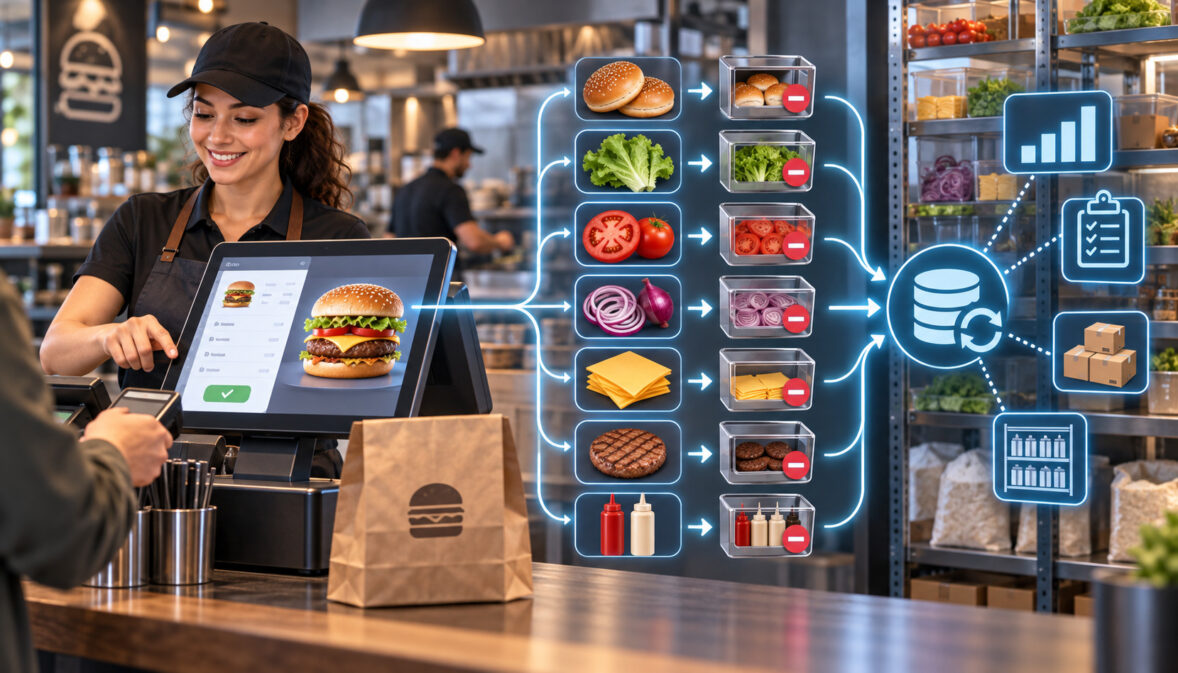
A recipe level inventory depletion POS workflow connects what guests order to what the restaurant should theoretically consume.
Each qualifying POS sale is matched to a standardized recipe, the recipe translates that sale into ingredient quantities, and those quantities become theoretical usage. Physical counts, purchases, transfers, waste records, and other inventory movements then show what actually happened.
That distinction matters. Selling one cheeseburger does not prove that exactly one bun, six ounces of beef, one slice of cheese, and the specified sauce portion physically left inventory. It tells the inventory system what should have been consumed if the recipe, POS mapping, modifier logic, units, yields, and transaction data were correct.
The operating value comes from comparing those expectations with reality. A gap can point to an unmapped POS button, a missing modifier, overportioning, unrecorded waste, a receiving error, a bad count, an unposted transfer, or potentially shrinkage.
Restaurants therefore should not treat recipe depletion as a substitute for inventory counts. It is an analytical layer between POS sales and physical inventory.
The complete workflow is:
menu item sold → POS item and modifiers exported → recipe mapping applied → theoretical ingredient usage calculated → inventory expectation updated → physical inventory counted → actual usage calculated → variance analyzed → mappings or operations corrected.
The critical control is not merely having accurate recipe cards. A perfectly costed recipe can produce useless inventory information when its POS buttons, modifiers, units, yields, or sub-recipes are mapped incorrectly.
Recipe Level Inventory Depletion POS: How the Workflow Works
A recipe level inventory depletion POS process begins when the sales system records an item that has inventory meaning.
Suppose a burger recipe specifies:
- one bun,
- six ounces of beef,
- one cheese slice,
- a measured sauce portion,
- lettuce,
- tomato,
- and onion.
When one mapped burger sells, the inventory engine creates theoretical consumption for those components. Ten burgers create ten recipe portions of expected usage. If one guest adds another beef patty and another removes cheese, properly supported modifier logic should change the theoretical quantities accordingly.
The word theoretical is essential. The restaurant is calculating what should have happened based on recorded transactions and configured recipes.
The POS does not observe the cook’s actual scoop, slice, pour, trimming technique, or discarded food.
This separation is consistent with current first-party inventory documentation. Restaurant365 describes theoretical usage as being generated by running items sold through mapped recipes, while its variance reporting compares theoretical quantities and costs against inventory-derived actual usage.
Operationally, five data layers have to agree:
- Ingredient master: What inventory items exist?
- Recipe database: How much of each ingredient should one portion consume?
- POS mapping: Which sale activates which recipe?
- Inventory movements: What was purchased, transferred, wasted, produced, or counted?
- Reporting period: Are sales and inventory movements being compared over matching locations and dates?
If any layer breaks, the resulting variance can be misleading.
A restaurant might have an immaculate six-ounce burger specification but a lunch-menu POS button that is not mapped. Sales continue normally, but theoretical beef usage is understated. The kitchen appears to be consuming too much beef even though the real problem is configuration.
That is why a reliable recipe level inventory depletion POS implementation is both a restaurant-operations project and a data-integration project.
Recipe depletion works best as one part of a broader set of food-cost and inventory-control practices. Purchasing discipline, portion control, physical counts, and waste tracking still matter because POS-driven depletion calculates expected usage rather than proving what physically happened in the kitchen.
Recipe-Level Depletion vs Periodic Physical Counts
Recipe depletion and physical inventory answer different questions.
Recipe depletion asks:
Based on everything we sold, how much should we have used?
A physical count asks:
How much inventory is actually here now?
Neither answer replaces the other.
| Method | Measures | Timing | Purpose |
| Recipe depletion | Theoretical usage | Continuously as qualifying sales are processed | Estimate expected ingredient consumption |
| Physical count | Actual stock on hand | Periodically | Establish real inventory quantity |
| Variance analysis | Difference between expected and actual results | After matching sales and inventory periods | Diagnose operational or data problems |
For example, theoretical inventory may indicate that 42 pounds of chicken should remain after the week’s sales. The physical count might find only 37 pounds.
The five-pound difference requires investigation. It does not identify the cause by itself.
Possible explanations include:
- portions larger than the recipe,
- chicken discarded without a waste entry,
- an invoice entered in the wrong unit,
- an inter-store transfer not posted,
- an inaccurate beginning or ending count,
- sales from an unmapped menu button,
- an incorrect yield assumption,
- or unexplained shrinkage.
This is why theoretical vs actual food cost variance is more useful than either number by itself.
Recipe depletion creates the expectation. The physical count challenges that expectation against reality.
Automatic Stock Depletion Restaurant Systems Still Need Maintenance
The phrase automatic stock depletion restaurant can make the process sound more hands-off than it really is.
Automation removes repeated arithmetic once the rules are configured. It does not remove the need to maintain those rules.
An automatic system still depends on:
- complete recipe definitions,
- accurate menu item mapping,
- modifier mapping where supported,
- valid units of measure,
- current yields,
- reliable POS imports,
- correctly posted receiving,
- stock transfers,
- waste recording,
- and accurate physical counts.
A new happy-hour burger button can break depletion even when the burger recipe itself has not changed. A supplier can switch a case from four 10-pound packs to six smaller packs and create a purchasing-unit problem. A new gluten-free-bun modifier may create revenue while consuming no inventory if nobody maps it.
An automatic stock depletion restaurant process is therefore best viewed as an automated calculation with actively governed master data.
Building Recipes: Units, Yields, Waste, and Sub-Recipes
Depletion cannot be better than the recipe structure underneath it.
A recipe intended for inventory use needs more than a food-cost number. The engine needs quantities it can mathematically convert into inventory movement.
Each finished menu recipe should establish:
- standard portion,
- ingredient,
- quantity,
- recipe unit,
- applicable yield logic,
- planned preparation loss,
- and any prep recipe or sub-recipe consumed.
This is where recipe costing inventory software must be evaluated carefully. Some tools calculate the expected cost of a plate without connecting POS sales to inventory transactions. Others can map menu sales to recipes and calculate theoretical usage.
Those are different capabilities.
Current Restaurant365 documentation, for example, separates recipe creation from POS integration and recipe-to-menu-item mapping. Its mapping documentation states that unmapped menu items cannot have theoretical usage analyzed.
When evaluating cloud-based food-business management and integration tools, recipe costing should be assessed separately from sales-driven inventory depletion. A system may calculate the expected cost of a recipe without necessarily turning every POS item, modifier, size, and sales channel into the correct ingredient-level inventory event.
Purchase Unit, Count Unit, and Recipe Unit
Restaurants routinely use several units for the same ingredient.
A product might be:
- purchased by the case,
- stored and counted by the pound,
- and consumed in recipes by the ounce.
The system needs a valid conversion path among those units.
| Ingredient | Purchase Unit | Count Unit | Recipe Unit | Illustrative Conversion |
| Ground beef | Case | Pound | Ounce | Case quantity → pounds; 16 oz = 1 lb |
| Chicken breast | Case | Pound | Ounce | Vendor pack converted to pounds, then ounces |
| Burger buns | Case | Each | Each | Case converted to number of buns |
| Sauce | Jug | Fluid ounce | Fluid ounce | Jug volume converted to fluid ounces |
| Sliced cheese | Case | Each/slice | Each/slice | Case converted to usable slices |
The case conversions above are deliberately hypothetical. The actual case quantity must come from the purchased item or vendor specification.
Current Restaurant365 documentation likewise treats units of measure as a foundational inventory setting and supports weight, volume, and each-based units with configured equivalencies.
A unit error can be dramatic. If an invoice says “2 cases” but the system interprets the receiving quantity as “2 pounds,” actual usage becomes unreliable even if every POS sale is mapped perfectly.
Yield Is About Usable Product
Purchased quantity and usable recipe quantity are not always identical.
Whole vegetables may lose trim. Cooked meat may weigh differently from raw meat. Canned products may be drained. A prep process may transform one measurable quantity into another.
A yield percentage or yield recipe tells the inventory model how purchased product converts into usable product.
There is no universal yield that should be applied across restaurants. The appropriate factor depends on the ingredient specification, preparation method, vendor product, and operating process.
For example, if a kitchen purchases a raw ingredient and recipes consume a prepared version, the system needs a defined relationship between the two rather than an assumed conversion.
Restaurant365’s current recipe documentation supports ingredient quantities, units, yields, and recipes used as ingredients in other recipes, illustrating the type of data structure that recipe-driven depletion requires.
Planned Yield Loss Is Not the Same as Unplanned Waste
This separation protects the integrity of the variance report.
Planned yield loss belongs in recipe or preparation logic when it is part of the standardized process.
Unplanned waste belongs in a waste record.
Examples of planned loss might include normal trim generated by a documented preparation method. Unplanned waste might include:
- dropped product,
- spoiled inventory,
- a burned batch,
- excessive trim,
- overproduction discarded at closing,
- or expired ingredients.
Do not inflate recipe quantities simply because the restaurant regularly wastes an ingredient.
If a six-ounce portion routinely results in unexplained seven-ounce usage, changing the recipe to seven ounces solely to remove variance hides the operating problem rather than fixing it.
Sub-Recipes and Prep Recipes
Many menu items do not consume only raw purchased products.
They consume prepared components such as:
- house sauce,
- pizza dough,
- salsa,
- soup base,
- cooked rice,
- seasoned chicken mix,
- dressing,
- or portioned filling.
Those components can be represented as a sub-recipe, prep recipe, or batch recipe depending on the platform.
Conceptually:
raw ingredients → prep recipe → usable prepared component → finished menu item
Suppose a kitchen makes one batch of house sauce from mayonnaise, mustard, seasoning, and other ingredients. A burger recipe may consume 1.5 fluid ounces of that sauce rather than directly listing tiny fractions of all the raw sauce ingredients.
This improves maintainability. If the sauce formulation changes, the kitchen updates the sauce recipe rather than every menu item containing sauce.
Avoid Double-Depleting Batch Production
Batch production introduces another control point.
Some systems may convert raw inventory into a prepared inventory item when a batch is produced. If that prepared product is subsequently consumed by menu items, the system must be configured so the raw materials are not depleted once during production and again incorrectly when the finished dish sells.
Other systems may use sub-recipes only as calculation structures and explode the ingredient quantities when the menu sale arrives.
The correct setup depends on the software’s production model.
That is why a restaurant should understand whether a prep recipe represents:
- a theoretical nested recipe,
- an actual production transaction,
- a countable prepared inventory item,
- or some combination of these.
Do not assume all recipe costing inventory software treats prep production the same way.
Ingredient Mapping POS Items: The Step Most Teams Miss
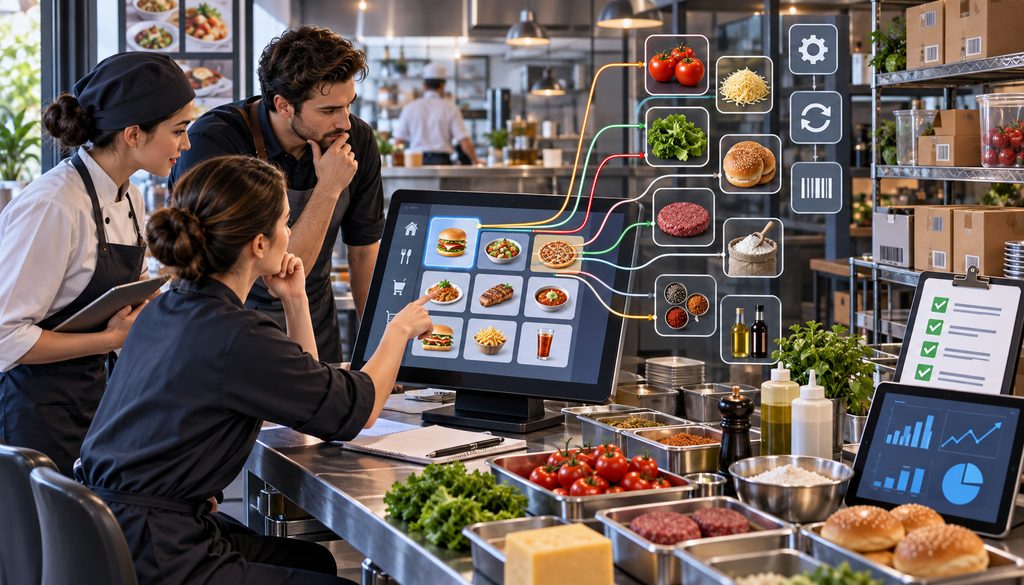
The recipe database defines expected consumption. POS mapping determines whether the recipe ever gets called.
That makes ingredient mapping POS items one of the most important controls in the entire process.
Consider these buttons:
- Cheeseburger
- Cheeseburger Lunch
- Cheeseburger Online
- Burger Promo
- Kids Cheeseburger
- Cheeseburger Catering
To the kitchen, several may appear to represent the same basic product.
To the integration, they may be separate item records.
If only “Cheeseburger” is mapped, the other sales may produce no recipe depletion.
Modern integration platforms increasingly depend on stable item identifiers rather than display names. Restaurant365’s July 2026 POS-item documentation states that incoming POS items are reviewed and mapped to menu items, while multiple POS records can be associated with one menu item.
Having a recipe in the inventory database does not guarantee that sales will trigger theoretical usage. Restaurant365’s current documentation on mapping recipes to POS menu items illustrates this dependency: recipes must be connected to POS menu items before their sales can support theoretical-usage analysis.
The exact workflow differs by platform, but the control principle is the same—every active sellable record needs a valid inventory relationship.
Its 2026 ID-import documentation also explains why POS IDs are more reliable than names for differentiating records.
Names are for human readability. IDs are better integration keys when the systems expose them.
A disciplined recipe level inventory depletion POS audit should therefore inspect every sellable POS record, not only the kitchen’s list of dishes.
At minimum, check:
- dine-in items,
- takeout items,
- online-ordering items,
- delivery items,
- catering items,
- happy-hour versions,
- promotional buttons,
- combo versions,
- alternate sizes,
- employee-meal buttons,
- and temporary/LTO items.
Do not assume duplicate-looking buttons automatically inherit a mapping.
Mapping Modifiers, Combos, Sizes, and Open Items
Modifiers are not merely pricing instructions. Many represent inventory events.
An accurate ingredient mapping POS items process needs to determine what happens when the base recipe is altered.
| POS Item | Modifier | Recipe/Rule | Inventory Impact |
| Cheeseburger | None | Base cheeseburger | Consume standard burger ingredients |
| Cheeseburger | Add bacon | Base + bacon rule | Add bacon consumption |
| Cheeseburger | No cheese | Base with supported removal logic | Avoid expected cheese use when supported/configured |
| Burger | Double protein | Base + extra patty | Add another protein portion |
| Burger | Gluten-free bun | Substitution rule | Replace standard bun with GF bun |
| Combo meal | Fries + drink | Combo component mapping | Consume entrée, fries, cup/beverage components |
The exact implementation varies by POS and inventory platform.
Some integrations can distinguish a modifier based on its parent item or create parent/modifier combinations. Others may treat modifiers as independent sale records or have more limited logic.
For example, Restaurant365’s current modifier-management documentation describes parent/modifier-aware configurations for select POS systems and customers, while its newer menu-item rules documentation is explicitly marked beta.
These limitations are precisely why restaurants should verify their own integration rather than assuming that “no cheese” automatically subtracts cheese.
“No” Modifiers
Suppose cheese is part of the base burger recipe.
A guest chooses No Cheese.
If the inventory integration supports ingredient-removal or parent/modifier-specific recipe logic, theoretical depletion should reflect the configuration.
If it does not, the base recipe may still record cheese consumption.
That does not necessarily make the entire system unusable, but operators need to understand the limitation before interpreting cheese variance.
Add-On Modifiers
Add-ons are usually easier conceptually.
If the guest selects:
Add Avocado
then avocado should create additional theoretical usage when the integration supports that modifier event.
An unmapped avocado modifier causes theoretical usage to be understated. The physical inventory falls faster than expected, creating apparent unfavorable variance.
Combo Meals
A combo button may represent several distinct inventory components:
- burger,
- fries,
- beverage,
- cup,
- lid,
- sauce,
- or selected sides.
The restaurant has to determine whether the POS exports those components individually or whether the inventory system must apply a recipe to the combo SKU.
Failure to map the combo can create revenue without corresponding theoretical consumption.
Size Variants
A 12-ounce soup and a 16-ounce soup should not consume identical soup quantities.
Neither should:
- single and double proteins,
- small and large fries,
- individual and family-size sides,
- regular and large beverages.
Each variant needs an appropriate recipe quantity or size-aware mapping.
Open Food and Custom Charges
Generic buttons such as Open Food, Misc Food, or manually entered custom charges deserve special review.
These records can generate sales revenue without telling inventory what was actually sold.
If open-item usage is operationally unavoidable, monitor it as an exception. Large or growing open-food sales reduce the completeness of theoretical depletion.
Recipe Level Inventory Depletion POS Mapping Audit
A practical mapping register can make ownership visible:
| POS Item | Modifier | Recipe | Status | Last Verified |
| Burger Lunch | — | Burger Standard | Mapped | Date |
| Burger | Add Bacon | Bacon Add-On | Mapped | Date |
| Burger | No Cheese | Removal rule / reviewed limitation | Reviewed | Date |
| Large Soup | Size: Large | Soup Large | Mapped | Date |
| Open Food | Variable | No direct recipe | Exception review | Date |
The best mapping audit is driven by actual sales records. Export everything that recorded activity and compare those records against the recipe-mapping master.
What POS Data Must Export for Automatic Stock Depletion
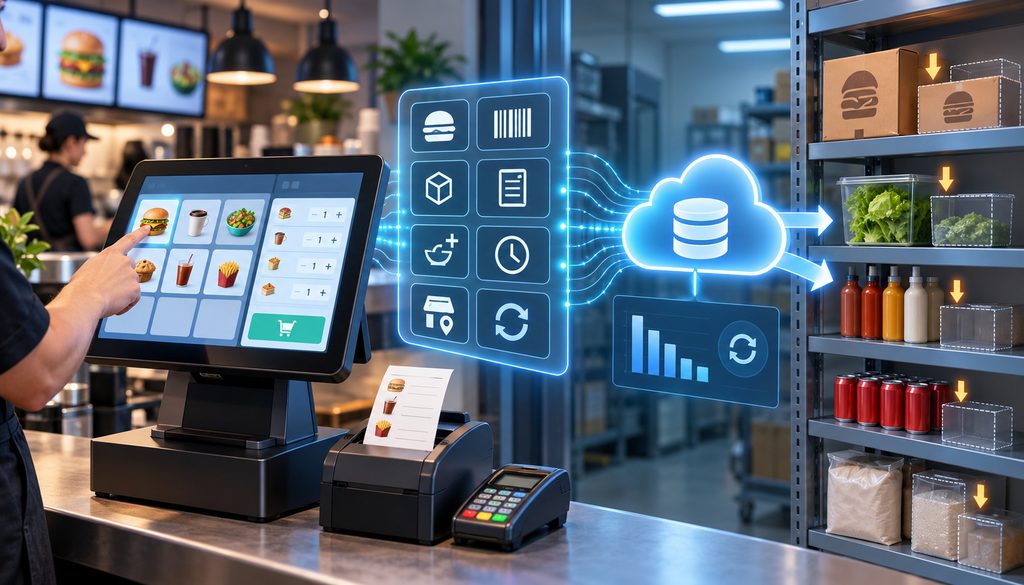
The automatic stock depletion restaurant workflow depends on transaction detail reaching the inventory application intact.
At a minimum, the receiving system needs enough information to answer:
What sold, how many, where, when, with what modifiers, and what ultimately happened to the transaction?
| Field | Why Needed | Risk if Missing |
| Item ID/SKU | Stable recipe mapping | Name changes or duplicates can break matching |
| Item name | Human review and troubleshooting | Harder to audit mapping |
| Quantity | Usage calculation | Ingredient depletion cannot be scaled correctly |
| Modifier ID/details | Add, remove, or substitute inventory logic | Customizations disappear from theoretical usage |
| Location | Assign inventory impact to correct site | Multi-unit variance becomes distorted |
| Transaction status | Handle voids/refunds appropriately | Reversed sales may be treated as normal |
| Timestamp | Match sales to inventory period | Timing differences distort comparisons |
| Order/check ID | Audit trail and troubleshooting | Harder to trace exceptions to source ticket |
A depletion integration needs enough transaction detail to preserve the connection between the sold item and its modifiers.
For example, Toast’s current POS data-export field reference documents fields such as location, order ID, item-selection ID, modifier ID, master ID, modifier SKU, timestamps, and void status. Other POS platforms may expose different fields or APIs, so the restaurant should verify the identifiers available in its own integration.
This is an example, not a universal POS specification. Your own POS may expose different files, APIs, identifiers, or statuses.
Item IDs Are Better Than Names When Available
A menu label can change from:
Grilled Chicken Sandwich
to:
Chicken Sandwich
without the product fundamentally changing.
An integration tied only to exact text may treat the renamed record differently.
Stable POS IDs reduce that risk. A sound recipe level inventory depletion POS design should therefore use persistent IDs wherever the integration exposes them and reserve names for human-facing review.
Voids Need Operational Context
A voided POS transaction does not automatically answer whether food was consumed.
If a server accidentally rings a burger and voids it before production, ingredient depletion generally should not behave like a completed sale.
But if the burger was already made before the void, the ingredients physically left available inventory. The restaurant may need a waste or manager-adjustment process rather than merely relying on the financial void.
Comps Still Consume Food
A comp changes revenue.
It does not necessarily change physical consumption.
A manager may comp an entrée because of a service problem after the customer ate it. The restaurant still consumed the ingredients.
Automatically excluding all comped items from theoretical usage can therefore understate expected inventory consumption.
Refunds Can Differ From Physical Returns
Financial reversal and inventory reversal are not always the same event.
If a delivery guest receives the wrong meal and gets a refund, the kitchen cannot put the cooked protein back into usable inventory.
Refund logic should therefore reflect the restaurant’s transaction process and the capabilities of the integration.
Staff Meals Need a Mapped Path
Employee meals should not disappear from inventory merely because they are not ordinary paid sales.
A mapped staff-meal button, comp reason, or another documented inventory process lets the restaurant recognize that ingredients were intentionally consumed.
Waste Logs Explain Known Loss
Waste should capture identifiable losses such as:
- spoilage,
- dropped food,
- burned product,
- production overage,
- expired ingredients,
- incorrect orders that cannot be reused,
- and other documented disposals.
A properly used waste log turns part of unexplained inventory variance into a known operational loss that management can analyze.
How Theoretical Usage Is Calculated
At its core:
Theoretical usage = mapped recipe quantity × qualifying item quantity sold, adjusted for applicable mapped modifiers and transaction rules.
Assume the following illustrative example:
- 100 mapped burgers sold.
- Standard burger uses 6 oz of beef.
- 10 orders include an extra 6 oz patty.
- All transactions qualify under the restaurant’s configured sales logic.
Base theoretical beef:
100 × 6 oz = 600 oz
Modifier theoretical beef:
10 × 6 oz = 60 oz
Total theoretical beef usage:
660 oz
That figure is an expectation generated from sales and recipe logic.
It does not mean the cooks physically served exactly 660 ounces.
If the kitchen actually portions closer to seven ounces, actual usage may exceed theoretical usage. If some burgers were incorrectly unmapped, theoretical usage may be too low even if kitchen portioning was perfect.
Current Restaurant365 documentation describes its actual-vs-theoretical analysis as using historical POS and PMIX data to calculate theoretical usage, while recipe-to-menu mapping determines which inventory logic is associated with sales.
The relationship between sales-driven theoretical usage and inventory-derived actual usage can be seen in Restaurant365’s current actual-versus-theoretical analysis documentation. Its report uses POS and menu-mix data for theoretical usage and compares that result with inventory activity to surface quantity and dollar variance.
The calculation details are platform-specific, but the operating principle is broadly applicable: theoretical usage comes from configured sales and recipes, while actual usage depends on recorded inventory movement and counts.
Operators using recipe costing inventory software should verify exactly which sale types, modifiers, statuses, and production records their product includes.
Actual Usage Comes From Inventory Movement
A common conceptual inventory equation is:
Beginning inventory + purchases + transfers in − ending inventory − transfers out = actual usage
Depending on the inventory application and operation, additional categories may be represented separately, including waste, commissary activity, production, inventory adjustments, or other movements.
Restaurant365’s current location-variance documentation, for example, shows an actual-usage calculation incorporating beginning inventory, AP/purchases, commissary receipts, transfers, waste, and ending inventory.
See its current inventory variance documentation for a first-party example of how an inventory platform constructs actual and theoretical sides of the comparison.
The exact accounting structure should follow the restaurant’s system.
The core point remains:
Theoretical usage comes primarily from sales × recipes. Actual usage comes from inventory movement and counts.
Theoretical vs Actual Food Cost Variance
Theoretical vs actual food cost variance measures the gap between what sales and recipes indicate should have been consumed and what the inventory records indicate was consumed.
Keep four concepts distinct:
Recipe costing: What one standardized portion should consume and cost.
Theoretical depletion: What recorded sales indicate should have been consumed.
Actual usage: What beginning stock, receiving, transfers, ending stock, and other inventory records indicate was consumed.
Variance: The difference requiring diagnosis.
The recipe level inventory depletion POS workflow supplies the theoretical side of this analysis.
If theoretical chicken usage is 80 pounds but the inventory equation indicates 88 pounds actually left stock, there is an eight-pound unfavorable quantity difference to explain.
Quantity Variance and Dollar Variance Answer Different Questions
Quantity variance helps kitchen teams investigate behavior.
For example:
8 lb extra chicken used
is easier to connect with portion sizes, prep procedures, counts, or receiving than a percentage alone.
Dollar variance helps finance teams prioritize attention.
An eight-pound variance in one ingredient may carry far greater financial impact than a much larger quantity difference in a cheap garnish.
Restaurants should look at both.
Inventory variance becomes more useful when it is reviewed alongside weekly restaurant operating and cost KPIs. A rising food-cost percentage, repeated ingredient variance, changing menu mix, and unusual waste can provide different clues about whether the problem is financial, operational, or related to the underlying inventory data.
How to Read a Food Inventory Variance Report
A useful food inventory variance report should make the comparison actionable rather than merely displaying a percentage.
At minimum, it should provide enough information to evaluate:
- ingredient,
- theoretical usage,
- actual usage,
- quantity variance,
- current or relevant unit cost,
- dollar variance,
- and trend over multiple periods.
| Ingredient | Theoretical | Actual | Qty Variance | $ Variance | Likely Cause to Test |
| Ground beef | 660 oz | 705 oz | 45 oz | Illustrative | Portions, count, waste, missing sales |
| Avocado | 48 each | 57 each | 9 each | Illustrative | Modifier mapping, spoilage, portions |
| Buns | 102 each | 101 each | -1 each | Illustrative | Count timing or recording |
| Fry oil | Expected amount | Higher actual | Difference | Illustrative | Waste, filtering/replacement process, count |
| Cheese slices | Expected amount | Higher actual | Difference | Illustrative | Extra-cheese mapping or portioning |
The table is illustrative; it is not suggesting acceptable variance levels.
A food inventory variance report becomes significantly more useful when management can drill into the menu items, purchases, transfers, and waste records behind the number.
Restaurant365 currently documents quantity and dollar comparisons between theoretical and actual inventory usage in its variance reports.
Diagnosing Variance: Mapping, Portions, Waste, Counts, or Shrinkage?
When a recipe level inventory depletion POS report shows unfavorable variance, start with data integrity.
Do not start with an accusation.
A practical troubleshooting sequence is:
- Is every POS item mapped?
- Are inventory-changing modifiers mapped or otherwise accounted for?
- Are recipe quantities correct?
- Are purchase, count, and recipe units converting correctly?
- Are yields configured appropriately?
- Were all purchases received?
- Were transfers recorded at both locations?
- Was waste captured?
- Was the physical count accurate?
- Does the variance persist over repeated periods?
Only after testing those controls should the investigation move deeper into kitchen behavior or potential shrinkage.
This ordering protects operators from chasing “theft” that is really a broken sales map.
Portion Variance
Assume the recipe specifies six ounces of protein.
The kitchen routinely serves seven.
Theoretical usage remains six ounces per qualifying sale because that is what the standard recipe says. Actual inventory disappears more quickly.
Repeated unfavorable variance results.
The correct response is not automatically to change the recipe to seven ounces.
First determine whether the seven-ounce portion is:
- an execution failure,
- an intentional but undocumented operating change,
- or evidence that the standardized recipe is genuinely obsolete.
If the standard remains six ounces, correct portioning.
If management intentionally changed the product specification, update the controlled recipe and document the effective date.
Waste
Unrecorded waste becomes part of the unexplained gap.
Suppose a tray of chicken is discarded after being left outside temperature-control procedures but nobody creates a waste entry. The physical count is lower, yet the theoretical system has no documented reason.
A reliable waste process makes the variance more diagnostic.
The goal is not to make waste disappear from financial results. It is to identify it correctly.
Receiving Errors
Purchase records can distort actual usage before the kitchen is even involved.
Typical errors include:
- invoice quantity entered incorrectly,
- case treated as each,
- wrong pack size,
- delivery not posted,
- duplicate invoice,
- receiving assigned to the wrong location,
- or supplier substitution entered using an old conversion.
Always reconcile suspicious ingredient variance against receiving activity.
Inventory Count Errors
Physical counts are measurements, not perfect truth.
Errors can arise when:
- one employee counts pounds while another records cases,
- prep inventory is counted both as raw product and finished prep,
- a walk-in or satellite storage area is missed,
- open containers are estimated inconsistently,
- the same product appears under multiple item records,
- or the count cutoff does not align with the sales period.
One unusual week may therefore be measurement noise.
Persistent patterns are more informative.
Transfers Between Locations
Multi-unit restaurants need symmetric transfer records.
If Location A sends ten pounds of chicken to Location B but only Location A records the movement, one store’s actual usage may appear unfavorable while the other’s inventory appears unexpectedly favorable.
The same issue applies to a central commissary.
A commissary may consume raw ingredients and transfer finished components to restaurants. Store-level depletion should then relate to the transferred prepared item rather than pretending the stores individually purchased all the raw ingredients.
Theft and Shrinkage
Inventory theft can occur in restaurants, but variance alone is not proof.
Persistent unexplained variance may justify further controls such as:
- transaction review,
- receiving reconciliation,
- restricted storage,
- access review,
- video or security review where lawful and appropriate,
- manager approval procedures,
- and targeted cycle counts.
But these actions should follow a disciplined investigation.
How Often to Cycle-Count High-Variance Ingredients

A full inventory count and a cycle count serve different operating purposes.
A full count gives finance and operations a broad inventory position, often supporting a period-end close.
A cycle count targets selected ingredients between broader counts so managers can detect and correct problems sooner.
There is no universal frequency that works for every restaurant.
Instead, count priority should reflect risk.
| Item Profile | Count Priority | Reason |
| High value + persistent variance | Highest | Financial impact and recurring control issue |
| High volume | High | Small portion/count errors scale quickly |
| Theft-prone or tightly controlled | High | Greater shrinkage exposure |
| New recipe or new mapping | High initially | Validates implementation |
| Recently changed vendor/pack | High initially | Tests unit and conversion changes |
| Stable, low-value, low-volume | Lower | Lower immediate operational impact |
Expensive proteins are frequent candidates because small quantity errors can carry significant dollars.
Depending on the concept, operators may also prioritize:
- liquor,
- high-volume oils,
- cheese,
- seafood,
- specialty ingredients,
- portion-controlled packaged items,
- or anything appearing repeatedly on the food inventory variance report.
An automatic stock depletion restaurant system can help identify candidates by ranking persistent quantity or dollar variance, but it should not dictate an arbitrary universal count schedule.
Use Trend, Not One Isolated Number
Repeated variance is generally more diagnostic than a single abnormal result.
If avocado is unfavorable in one count, inspect that period.
If it is unfavorable repeatedly, the operation has a stronger reason to test:
- portion size,
- modifier mapping,
- spoilage,
- purchasing unit,
- count procedure,
- or security.
For theoretical vs actual food cost variance, the direction and persistence of the trend often reveal more than one point-in-time percentage.
Keeping Depletion Accurate as Menus and Purchasing Change
A recipe level inventory depletion POS implementation is not a one-time data conversion.
Menus evolve.
POS databases evolve.
Vendor packs evolve.
The mapping should evolve with them.
New Menu Items
Do not wait until after launch to create inventory logic.
Before the first live sale:
- create or approve the recipe,
- verify units and yield,
- confirm the POS item ID,
- map the item,
- map relevant modifiers,
- test a transaction,
- verify theoretical movement.
Otherwise, the new item begins accumulating bad variance on day one.
Limited-Time Offers and Promotions
Temporary does not mean operationally insignificant.
A four-week promotion can sell thousands of units. If its POS button is not mapped, the corresponding ingredients may appear as unexplained loss for the entire period.
Price Changes vs Recipe Changes
A menu price change does not necessarily change depletion.
If the cheeseburger price increases while its six-ounce patty remains unchanged, theoretical ingredient quantity remains the same.
A portion change does affect depletion.
Separating sales price from recipe quantity prevents financial updates from being confused with inventory updates.
Supplier Substitutions
A substitute ingredient can have the same recipe quantity but a different purchased pack.
For example, the kitchen may still consume six ounces per serving while a replacement vendor ships a different case configuration.
The recipe does not necessarily change.
The purchasing-unit conversion might.
Cost Updates
Quantity and cost are separate dimensions.
Recipe quantity determines how much inventory should theoretically be consumed.
Ingredient cost determines the dollar value of that consumption.
A price increase from a supplier can raise theoretical food cost without changing theoretical quantity.
This distinction is important when investigating theoretical vs actual food cost variance: quantity variance diagnoses physical usage, while current costing determines financial impact.
Multi-Location Restaurants
Chains may standardize one recipe while still having location-specific integration issues.
Different restaurants can have:
- different POS item IDs,
- different local menu buttons,
- different vendors,
- different purchasing packs,
- or different allowed substitutions.
A central recipe standard does not eliminate the need to verify each site’s POS mapping and inventory master.
Multi-location operators should also evaluate whether their food-industry cloud platform can centralize inventory, recipe, reporting, and integration data while still allowing location-specific purchasing units, vendors, POS identifiers, and other operational differences. Centralized data does not eliminate the need to validate each store’s mappings.
Common Recipe-Depletion Setup Mistakes
The most costly depletion errors are often mundane configuration problems repeated across thousands of transactions.
| Mistake | Distortion | Better Approach |
| Recipe exists but POS item is unmapped | Sales create no theoretical usage | Audit sold POS IDs against recipe mappings |
| Modifier ignored | Add-ons or removals do not affect usage | Map supported inventory-changing modifiers |
| Wrong unit conversion | Usage multiplied or divided incorrectly | Verify purchase/count/recipe equivalencies |
| Waste buried in recipe | Theoretical usage inflated | Separate normal yield from unplanned waste |
| Comps automatically excluded | Real consumption understated | Determine physical-consumption treatment |
| Voids treated identically | Usage may be overstated or understated | Separate unmade voids from produced food/waste |
| Purchases or transfers missing | Actual usage distorted | Reconcile receiving and transfer records |
| Count unit mismatch | Ending inventory unreliable | Standardize count units and instructions |
| Variance assumed to mean theft | Wrong root cause pursued | Validate system and operating controls first |
A recurring ingredient mapping POS items review catches many of these problems before they become month-end surprises.
Exception reporting is especially useful.
Flag:
- items with POS sales but no recipe,
- modifiers with activity but no inventory mapping,
- unexpected negative stock,
- impossible or suspicious conversions,
- ingredients with repeated unexplained variance,
- newly created POS records,
- and material open-food sales.
Recipe-Level Inventory Setup Checklist
The following workflow creates a repeatable implementation path for recipe level inventory depletion POS rather than treating depletion as a one-time software switch.
1. Build the ingredient master
Create one controlled record for each inventory item and eliminate unnecessary duplicates.
2. Define purchase units
Document how vendors invoice the product.
3. Define count units
Choose the units employees will use during physical inventory.
4. Define recipe units
Establish the measurement used for recipe consumption.
5. Verify unit conversions
Test case-to-each, pound-to-ounce, gallon-to-fluid-ounce, and other required equivalencies.
6. Record realistic yields
Use documented operation-specific yield assumptions rather than generic percentages.
7. Build sub-recipes
Create prep components such as sauces, doughs, dressings, bases, and mixes.
8. Build menu recipes
Connect finished menu items to purchased ingredients or sub-recipes.
9. Export the POS item master
Capture IDs, names, location relationships, active status, and relevant sales classifications.
10. Export the modifier master
Identify modifiers that change physical ingredient consumption.
11. Map every active sellable item
Include dine-in, online, takeout, catering, promo, happy-hour, and alternate menu records.
12. Map add/remove modifiers
Configure add-ons, removals, and substitutions where the integration supports the required behavior.
13. Map sizes and combos
Confirm that different portions generate different ingredient quantities.
14. Review open-food buttons
Treat generic revenue records as exceptions requiring separate analysis.
15. Define comp logic
Distinguish a revenue discount from physical ingredient consumption.
16. Define void and refund logic
Document how pre-production cancellations differ from food that was already prepared.
17. Define a staff-meal process
Use a mapped button or documented inventory method for employee consumption.
18. Create a waste process
Record spoilage, errors, dropped food, overproduction, and other identifiable losses separately.
19. Post purchases accurately
Verify quantities, vendor packs, locations, dates, and units.
20. Post transfers accurately
Require sending and receiving locations to record the same inventory movement.
21. Test depletion with controlled transactions
Ring controlled examples for:
- base item,
- add-on,
- removal modifier,
- size change,
- combo,
- comp,
- and void where appropriate.
Check exactly what theoretical inventory moved.
22. Run a physical count
Establish actual stock on hand using standardized count units.
23. Generate the variance report
Compare theoretical usage with actual inventory usage.
24. Investigate mappings first
Test item IDs, modifier logic, recipes, conversions, and transaction statuses.
25. Investigate operations second
Then examine portioning, waste, receiving, transfers, and shrinkage.
26. Cycle-count high-risk ingredients
Prioritize based on dollar exposure, sales volume, persistent variance, theft exposure, and recent changes.
27. Review menu changes before launch
No new menu item should go live without depletion logic.
28. Audit unmapped sales regularly
Use actual sales activity to identify new or overlooked POS records.
Pro Tip: Build a test order containing one base item and one inventory-changing modifier, then trace it from the POS transaction through theoretical depletion. A controlled test often reveals mapping errors faster than reviewing configuration screens alone.
Practical Recipe-Level Depletion Workflow
Once implementation is complete, the recurring operating cycle should look like this:
- Build and maintain the ingredient master.
- Define purchase, count, and recipe units.
- Maintain conversion factors.
- Record realistic yields.
- Build sub-recipes and prep recipes.
- Build finished menu recipes.
- Import or export the active POS item master.
- Import or export modifier records.
- Map every sellable item.
- Map inventory-changing modifiers where supported.
- Define comp, void, and refund treatment.
- Maintain a separate waste process.
- Receive purchases accurately.
- Post stock transfers.
- Process POS sales into theoretical depletion.
- Perform the physical inventory count.
- Calculate actual usage.
- Run the variance analysis.
- Investigate mapping and data first.
- Investigate operating behavior second.
- Cycle-count high-risk ingredients.
- Correct recipes or mappings only when evidence justifies the change.
- Document configuration changes and effective dates.
- Repeat the process and analyze variance trends.
This cycle is what turns recipe costing inventory software from a plate-cost calculator into an operational control system.
Frequently Asked Questions
What is recipe-level inventory depletion in a POS?
Recipe-level depletion converts POS sales into expected ingredient usage. A recipe level inventory depletion POS integration maps a sale to a recipe and multiplies each ingredient quantity by the number of qualifying items sold, with modifier adjustments when the integration supports and is configured for them. The result is theoretical inventory usage, not proof of what physically left the shelf.
How is recipe-level depletion different from a physical inventory count?
Recipe depletion calculates what inventory should have been consumed according to sales and recipes. A physical count measures what is actually on hand. The comparison between the two helps identify usage variance.
How do I map POS menu items to ingredients?
Usually, a POS item is connected to a finished menu recipe rather than manually linked to each ingredient every time it sells. The menu recipe then contains the ingredient quantities. Good ingredient mapping POS items practice starts with stable item IDs where available and verifies every POS record that actually generated sales.
Do modifiers need their own inventory mapping?
Inventory-changing modifiers should be reflected in theoretical usage somehow.
Examples include add bacon, double protein, no cheese, substitute a side, or change the bun. The exact implementation varies by POS/inventory integration, and not every platform supports the same modifier or subtraction logic.
How do sub-recipes work in restaurant inventory software?
A sub-recipe represents a prepared component used inside another recipe.
For example, raw ingredients may form a house dressing, and menu items may consume ounces of that dressing. The restaurant should also understand whether its software treats preparation as a production transaction so raw ingredients are not inadvertently depleted twice.
What is the difference between purchase unit, count unit, and recipe unit?
The purchase unit describes how the restaurant buys the item.
The count unit describes how employees measure stock on hand.
The recipe unit describes how the recipe consumes it.
One ingredient might be purchased by the case, counted in pounds, and consumed in ounces.
How does yield affect recipe depletion?
Yield describes how purchased product converts into usable recipe product. Trim, draining, preparation, or cooking can change the usable amount. Yield assumptions should reflect the restaurant’s actual standardized process rather than generic percentages.
What POS data is required for automatic stock depletion?
An automatic stock depletion restaurant integration generally needs an item identifier, quantity, location, transaction timing, relevant modifiers, transaction status, and enough order-level detail for auditability. Exact fields vary by POS and inventory platform.
How is theoretical ingredient usage calculated?
The basic concept is:
recipe quantity × qualifying item sales ± configured modifier effects.
If 100 burgers each theoretically use six ounces of beef, base theoretical usage is 600 ounces. Appropriate extra-protein modifiers would add to that quantity.
What is theoretical vs actual food cost variance?
Theoretical vs actual food cost variance is the difference between what recipes and sales say should have been consumed and what inventory records indicate was actually consumed. It is a diagnostic measurement. It can reveal configuration errors, portion problems, waste, receiving mistakes, count errors, transfers, or unexplained shrinkage.
What should a food inventory variance report show?
A useful food inventory variance report should show theoretical usage, actual usage, quantity variance, dollar variance, relevant cost information, and ideally historical trend. Supporting drill-down into purchases, recipes, sales, transfers, and waste makes the report much easier to diagnose.
Does positive or unfavorable variance mean employees are stealing?
No.
Inventory shrinkage or theft can be one possible explanation, but variance alone cannot prove it. First validate item mapping, modifiers, units, yields, receiving, transfers, waste, and physical counts.
How often should high-variance ingredients be cycle-counted?
There is no universal frequency.
High-dollar, high-volume, theft-prone, newly configured, recently changed, or persistently high-variance ingredients generally deserve more frequent review than stable low-impact products. The restaurant should set its cadence according to operational and financial risk.
How should comps, voids, refunds, and staff meals affect depletion?
Treatment should follow what physically happened and what the integration supports. Comped food may still have been consumed. A void before preparation may require no ingredient usage, while food made before a void may require a waste entry.
A refunded prepared meal does not magically return ingredients to inventory. Staff meals should use a mapped or otherwise documented inventory process.
Why can recipe costing be correct while inventory depletion is wrong?
Because recipe costing and transaction mapping are different controls.
A burger recipe might correctly specify every ingredient and cost, yet its online-order button or lunch-menu SKU could be unmapped. In that situation, the recipe itself is accurate but recipe level inventory depletion POS reporting is incomplete because sales are not activating the recipe.
Conclusion
Recipe-level depletion starts with accurate recipes, but it succeeds or fails on the quality of the connections around them.
Every sellable POS item should trigger the intended recipe, and every inventory-changing modifier should be understood and mapped where the integration permits it. Units, yields, prep recipes, purchase receiving, transfers, and transaction status all influence whether theoretical inventory is meaningful.
Theoretical usage remains an expectation. It does not tell management exactly what a cook portioned or what remains physically in the walk-in.
That is why physical inventory, receiving records, transfer records, waste logs, and disciplined counts remain essential. Together, they provide the actual side of the comparison.
When variance appears, investigate methodically. Verify mappings, modifiers, conversions, receiving, transfers, and counts before assuming the kitchen has a portion problem or the restaurant has theft.
Then use targeted cycle counts to focus management attention on expensive, high-volume, recently changed, or persistently high-variance ingredients.
The objective is not to force theoretical and actual numbers to agree. It is to make each number trustworthy enough that their difference tells the restaurant where to investigate.